
 ORDR
ORDRThe operations manager that never forgets a thing
ORDR brings together in one system what is scattered today across inboxes, spreadsheets, folders, and meetings: clients, projects, tasks, and documents. It connects to the tools you already use, so nobody has to switch programs or retype anything.
100%
Proud to say that 100% of our clients stay after trying ORDR.
The four problems of a company that grew without a system
Operational chaos
Today: Everyone tracks things their own way, and to know where a project stands you have to ask.
With ORDR: Tasks, owners, and phases on one board. You check progress by asking the system.
Scattered information
Today: What matters is spread across emails, spreadsheets, loose folders, and someone's head.
With ORDR: Clients, conversations, meetings, documents, and projects in a single system.
Scaling without hiring
Today: Every new client means more hours of someone filling in forms and moving data around.
With ORDR: Information comes in on its own from emails, calls, and meetings. Your team validates instead of typing.
Leadership's time
Today: Leadership loses hours asking for reports and chasing what was left pending in every meeting.
With ORDR: A dashboard built on information that is already centralized, and the tasks from every meeting proposed automatically.
One single source of information, and everything else on top
One single base
Every module reads and writes on the same information. Turning on a new one doesn't force you to migrate or duplicate anything.
Nobody types twice
Information is captured from what already happens: emails, calls, meetings, and documents.
AI proposes, your team decides
The system extracts tasks, commitments, and client data, but nothing is confirmed until a person approves it.
Turned on when you need it
You don't have to take everything at once. You start with what hurts most and grow from there.
Nine modules built and in use today
Each one covers a specific area of your operations and works with the information already inside ORDR. You don't have to take everything at once: you start with what hurts most.
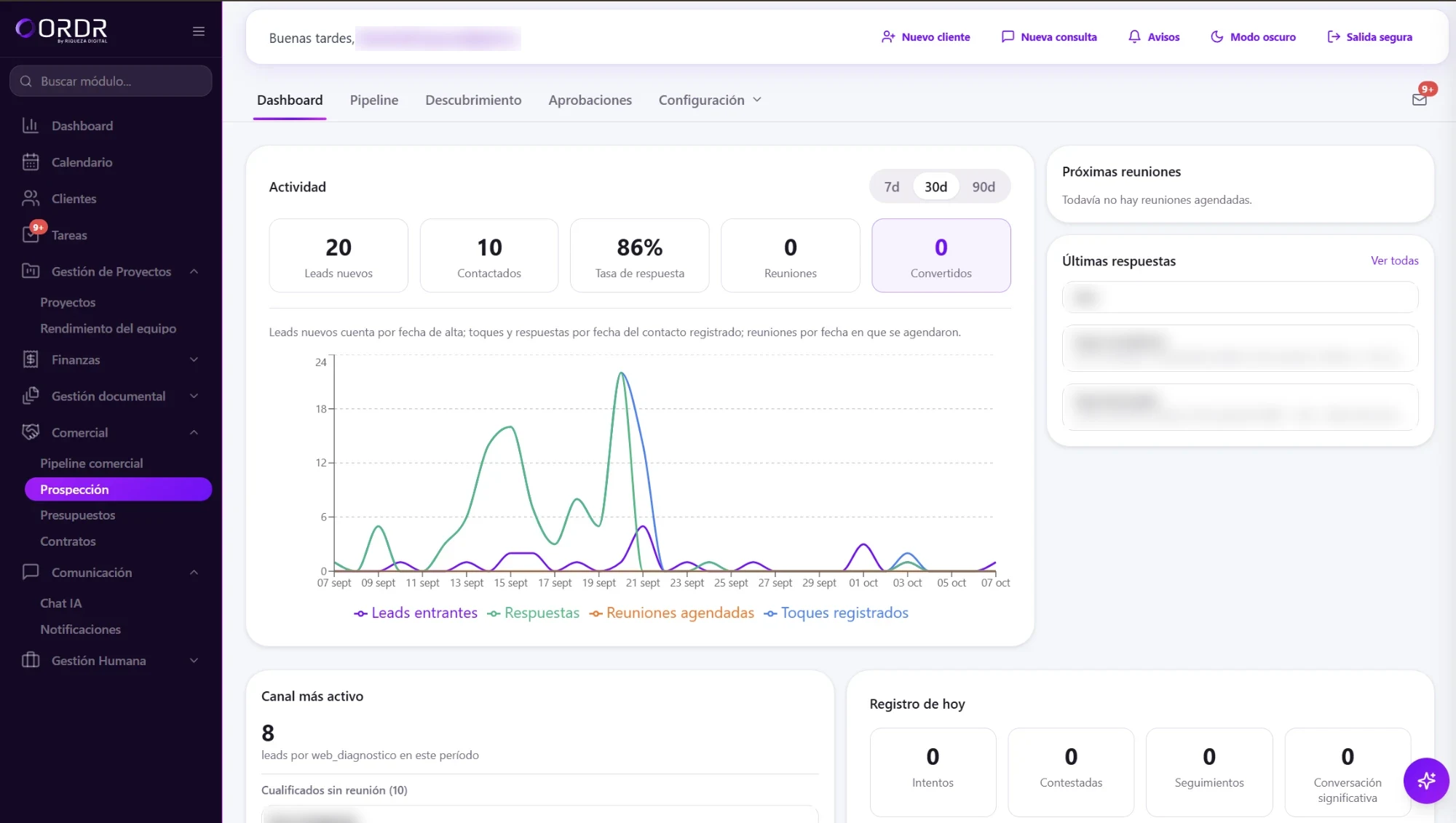
Sales
Each client's history summarized before a call, with sequences, reminders, and pipeline. Sales reps don't fill in records: they validate them.
Tasks
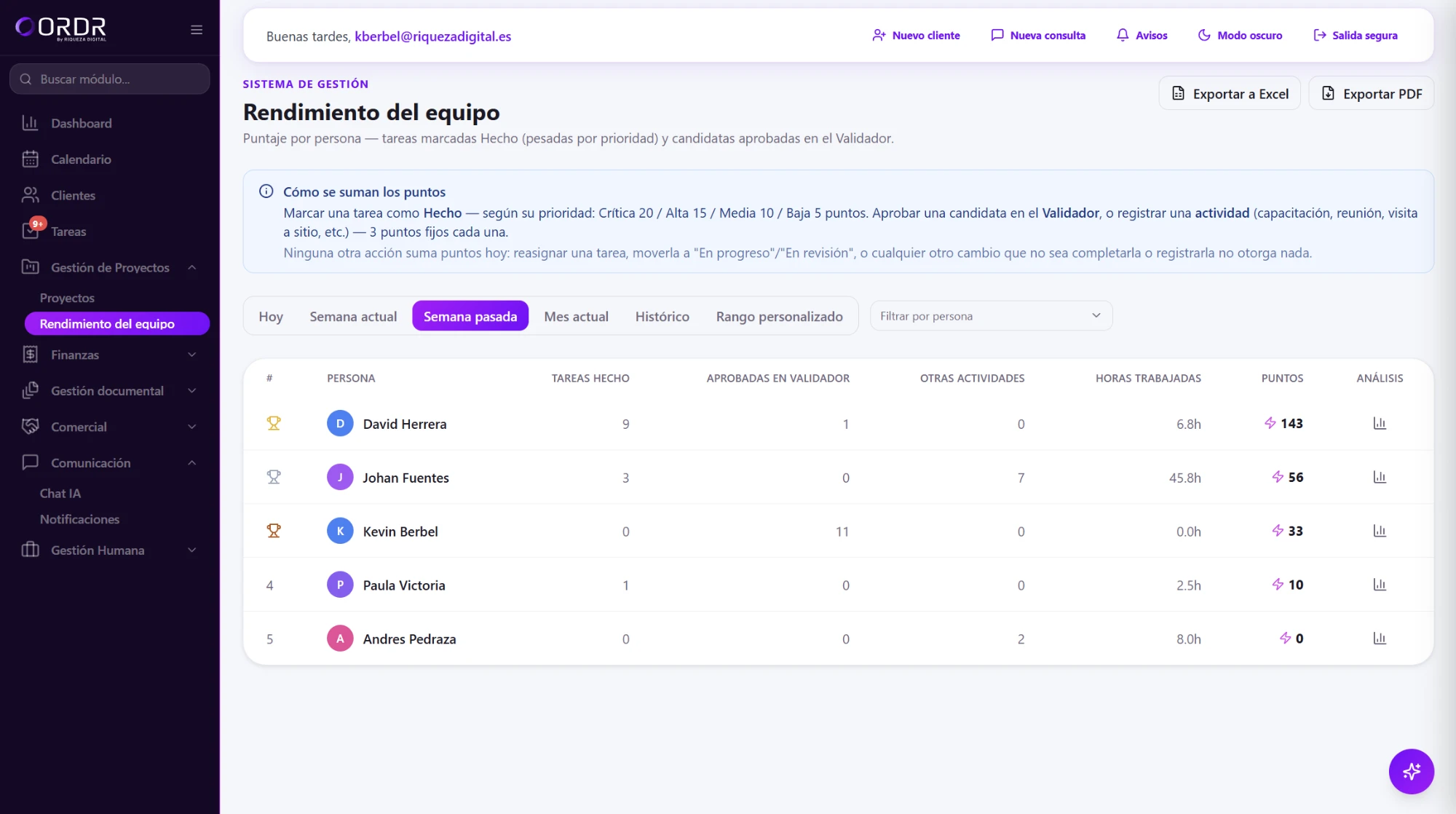
A board with owners and priorities. Tasks coming out of meetings and emails are proposed for approval.
Document management
Documents by client and project, with search across their content and the commitments in each one extracted.
Projects
Phase-by-phase tracking with each project's tasks, and progress you can ask about in plain language.
Tenders
Each tender with its documents and deadlines in one place, and AI as a copilot while you prepare it.
Dashboard
Activity, workload, and progress indicators built on information that is already centralized.
People management
What each person has on their plate and where the workload piles up, to balance it and spot bottlenecks early.
Clients
A client record that keeps itself up to date from everything that has gone through the system.
Calendar
Meetings, tasks, and projects on the same calendar, feeding each client's information.
Connect the tools you already use
15 integrations ready to centralize email, management, commerce, and projects in one place.
Google Workspace and Microsoft
6 toolsEmail, calendar, and storage: the two ecosystems most teams already use every day.

Gmail
Centralize the relevant emails from your projects without leaving the platform.
Available
Outlook
We sync important threads and attachments automatically, no manual forwarding.
Available
Google Drive
Storage
Link project folders so documents show up where the team already works, with no duplicate copies or lost versions.
Available
OneDrive
Storage
Files from teams working on Microsoft 365, visible alongside the rest of the project.
Available
Google Calendar
Calendar
Meetings and key project dates, visible without switching tabs.
Available
Outlook Calendar
Calendar
Same as Google Calendar, but for teams working on Microsoft 365.
AvailableManagement and accounting
3 toolsThe systems where the administrative and financial side of the business lives.

A3
Management
Billing data and case files from your accounting firm, connected to the matching project.
Available
Holded
Management
Invoices, quotes, and accounting for your projects, with no double data entry.
Available
SAP
ERP
For teams with processes already built on SAP: centralize what matters without migrating anything.
AvailableCommerce and payments
2 toolsOnline sales and payments, in the same place as the rest of the project.

Shopify
Commerce
Orders and customers from your store, visible alongside the rest of the project's operations.
Available
PayPal
Payments
Payments and transactions automatically linked to the matching project or client.
AvailableProductivity and projects
2 toolsDocumentation and technical tracking of work in progress.
Notion
Documentation
Databases and technical documentation, always one click from the project they belong to.
Available
Jira
Tracking
Tickets and sprints synced with the real status of each technical project.
AvailableCRM and location
2 toolsThe commercial relationship with the client and the geographic context of each project.
HubSpot
CRM
Contacts and deals automatically linked to each active project.
Available
Google Maps
Location
Location of sites, offices, or technical visits associated with each case file.
AvailableYour information, under your rules
Centralizing doesn't mean everyone sees everything. Permissions, the activity log, and human approval are built into the system's foundations, not bolted on later.
Everyone sees only their part
Roles with per-module permissions, enforced in the database itself: what a role can't open simply doesn't show up.
Activity log
Actions taken in the system are logged. Only administrators can view the log, and it can't be edited from the application.
AI never acts on its own
The tasks, commitments, and client data extracted by AI stay as proposals. Nothing is confirmed until a person approves it.
Your files, wherever your policy says
Documents are kept in cloud storage and the system stores the reference. If your policy requires your own infrastructure, we look at it before rollout.
What people ask us before trying it
Do we have to stop using the tools we already have?
No. ORDR connects to them — email, storage, management, CRM, and the rest of the catalog — and brings the information together in one place. Turning on a new module doesn't force you to migrate or duplicate anything.
Who can see the information?
Each person sees what their role allows. Permissions are set per module and enforced in the database itself, not just on screen.
Can the AI make changes on its own?
No. The AI picks up tasks, owners, commitments, and client data from emails, meetings, and documents, and leaves them as proposals. A person approves or discards them before they enter the system.
Where are documents stored?
In cloud storage, with the reference kept in ORDR. If your policy requires files to live on your own infrastructure, we look at it before rollout. The Tenders module, for example, already runs as a local installation on the client's infrastructure.
Do we have to take every module from the start?
No. The license includes five modules, which we choose together based on what we find during rollout. From there you add the ones you need as you go.
Can I try it before deciding?
Yes. Sign up for the demo and look around inside. If you'd rather we show it to you with your own cases, book a call.
Try it before you decide anything
Sign up and get into the demo. If you'd rather we show it to you with your own cases, book a call.